Piano practice your child will ask for.
Short, playful lessons with Pengui the penguin and friends. Your child learns to read music and plays real songs, on your real piano, a little every day.
- No ads
- No trackers
- 7-day money back
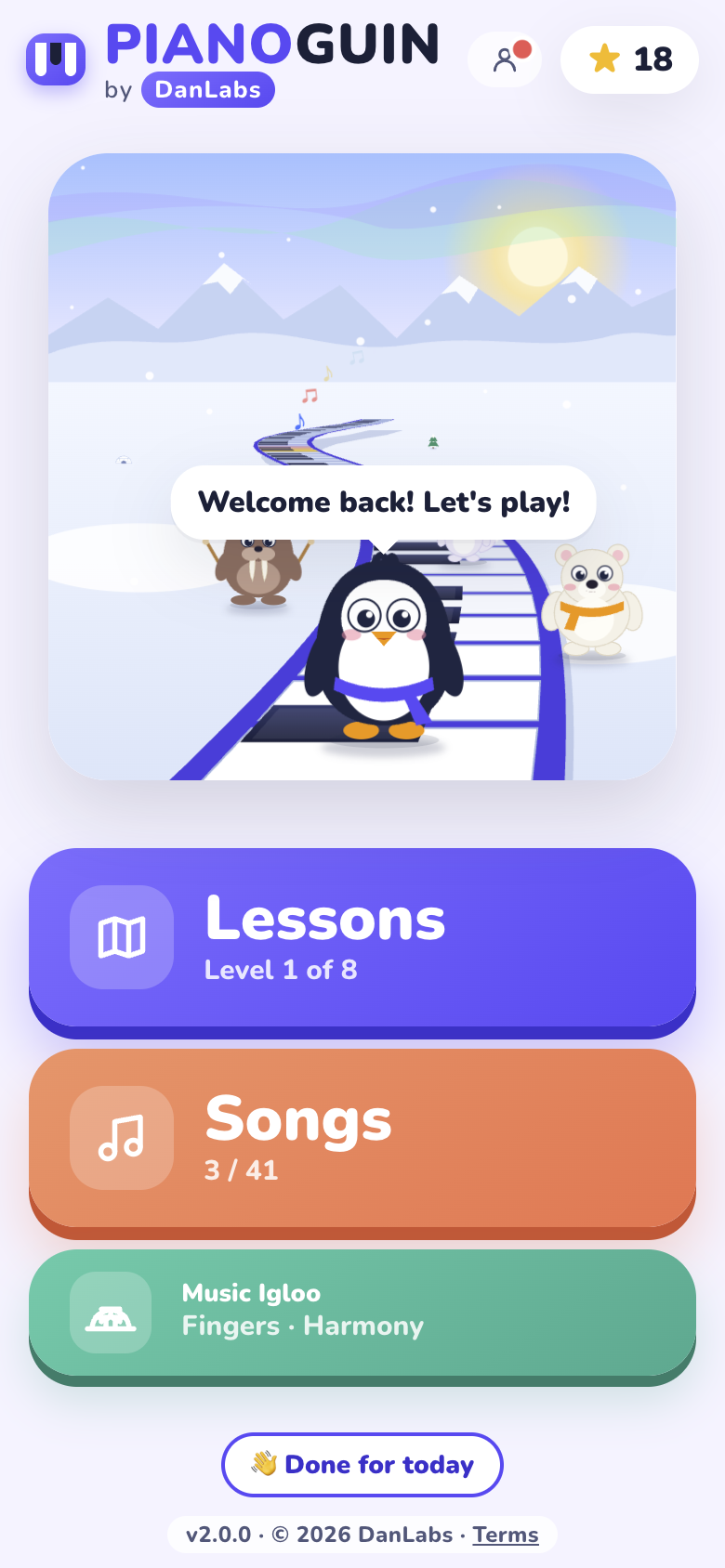
- 119lessons
- 8worlds to explore
- 41songs to play
- 2devices per family
Ten minutes a day, one step at a time
Made by a piano teacher, the way a good lesson goes: meet a few notes, find them, then play them in a song.
Meet the notes
Pengui shows each new note on the staff and on the keys, and says it out loud, so kids who can't read yet can follow too.
Play real songs
Tap the keys on the screen, or play on your piano: the microphone hears which keys you press. Songs can be played with a friendly band.
Earn stars, unlock more
Each lesson earns up to 3 stars and opens the next one. Every level ends with a little recital.
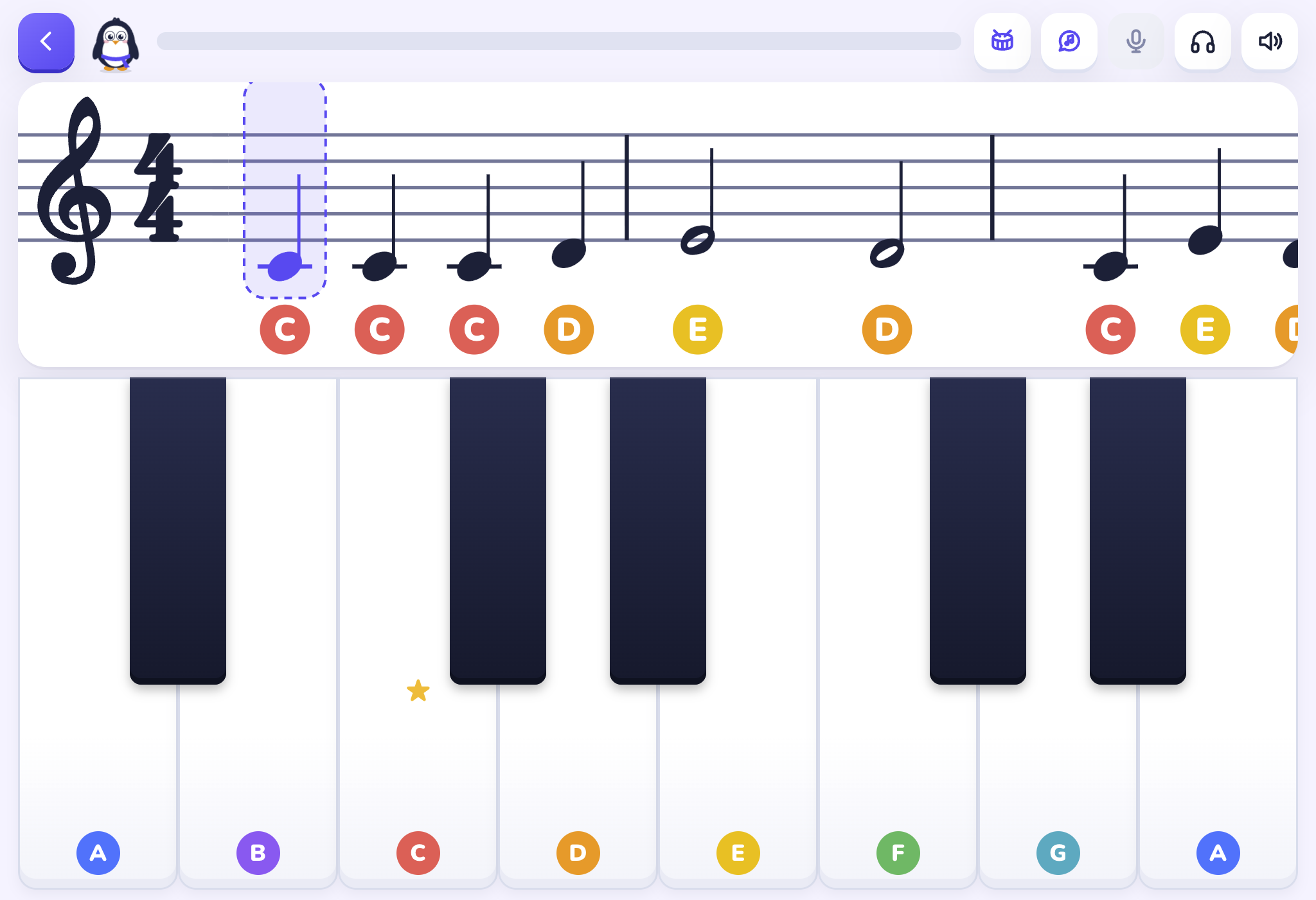
Fingers learn on the keys
Pianoguin isn't a game to play instead of the piano. It's a reason to sit at it.
- 🎹Play along on an acoustic piano or a keyboard. The microphone listens, and nothing is recorded.
- 🎼Real music reading: treble and bass clef, rhythm, both hands, all the way to hands together.
- 📱Works on phones, tablets and computers, right in the web browser. Nothing to download.
Four friends who teach
Each one has a job, and its own voice that cheers your child on.
Pengui
The penguin. Treble clef and the right hand.
Bruno
The polar bear. Bass clef and the left hand.
Wally
The walrus. The band's drummer, for rhythm.
Fifi
The arctic fox. Waltzes, in three-four time.
From Middle C to hands together
8 worlds, from the very first note to playing with both hands at once.
- 1Middle C Land
- 2Five Finger Hill
- 3Rest Stop
- 4Waltz Woods
- 5Quick Notes
- 6Bouncy Beats
- 7Two Hands
- 8Hands Together
Songs kids know and love, like Twinkle Twinkle, Jingle Bells, Ode to Joy, When the Saints, Amazing Grace and Silent Night, with the right hand, the left hand, and both together.
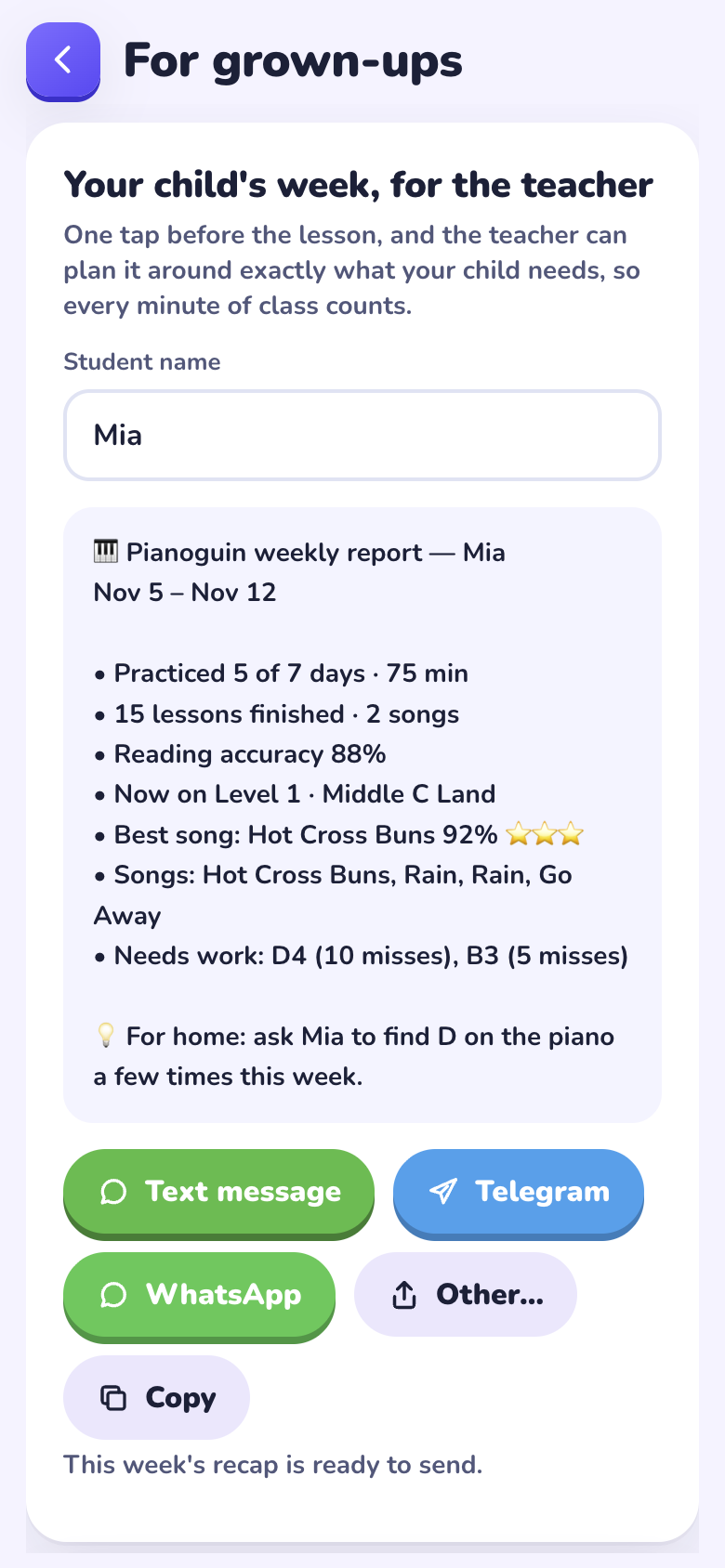
A weekly recap, ready before class
Under Grown-ups (press and hold for 2 seconds) is a recap of your child's week. Send it to the piano teacher by text before class, so the next lesson starts where your child really is.
- 📅Days practiced and minutes
- ⭐Lessons finished, songs played and the best one
- 🎯The notes that need more work
- 💡A tip for practicing at home
Your child's data stays with you
No accounts
No sign-up, no email, no photos. Nothing about your child is sent to us.
Saved on your device
Progress and stars stay on your phone or tablet.
Mic never records
The sound is checked on the device and never sent anywhere.
No ads, no trackers
No ads, no analytics, no third-party trackers. Not even on this page.
One family code, everything included
Every plan opens all of Pianoguin on up to 2 phones, tablets or computers. Lessons unlock as your child progresses.
Monthly
Try it month by month
- All lessons, songs and games
- Weekly recap for the teacher
- Up to 2 devices
- Never renews by itself
Yearly
A full year of practice
Save $48 compared with monthly
- All lessons, songs and games
- Weekly recap for the teacher
- Up to 2 devices
- Never renews by itself
First year
For our first 5 families
Limited spots
- Everything in Yearly
- Then $119 per year if you renew
- Up to 2 devices
- Never renews by itself
Button not opening your email? Write to contact@danlabs.tech and tell us which plan you'd like.
Money-back guarantee. If Pianoguin isn't right for your family, ask within 7 days of paying and you get a full refund, no questions asked.
Three easy steps
- ✉️
Write to us
Pick a plan above, or email contact@danlabs.tech.
- 💳
Pay with Zelle
We reply with the payment details.
- 🎟️
Get your code
Your family code arrives on a welcome card. Type it in and play!
Good to know
What age is Pianoguin for?
It's made for kids about 5 to 10 who are starting piano. Spoken instructions help kids who can't read yet, and older beginners enjoy it too.
Do we need a piano?
A piano or keyboard at home is best: the lessons are made to be played on real keys. Songs can also be played on the screen, for practice on the go.
Which devices does it work on?
Phones, tablets and computers, in the web browser (Safari, Chrome and others). There's nothing to install from an app store. You can add it to the home screen to open it like an app.
Does it replace piano lessons?
No. Pianoguin is a practice partner between lessons. It works best with a teacher, and the weekly recap helps the teacher plan each class.
Will I be charged again automatically?
Never. Nothing is charged unless you pay again. If your time runs out, your child's stars are kept and everything works again when you renew.
Is progress shared between our 2 devices?
No. Progress is saved on each device, so each phone or tablet keeps its own stars and its own weekly recap.
What if it doesn't work for us?
Ask within 7 days of paying for a full refund. And if the app can't be made to work on your device, we'll refund you at any time.
Who sells Pianoguin?
Pianoguin is made, sold and supported only by Juan Daniel Acosta Bermudez (DanLabs), a piano teacher in Florida. No music academy or school is part of, or responsible for, your purchase.
I'm a piano teacher. Can my students use it?
Yes! Write to contact@danlabs.tech and we'll tell you how it works for teachers.
Ready to make practice the best part of the day?
Pick a plan, and your family code is on its way.